fooo

News

New Features in Version 4.4

VLAN Viewer
Although configuring VLANs on Hirschmann products is simple, an unintentional typing error can result in countless wasted hours of fault-finding. Previous versions of Industrial HiVision provide a clear and accurate topology map of the physical connections, effortlessly created using Auto-topology Discovery. Version 04.4.00 goes one step further. Industrial HiVision automatically discovers the configured VLANs. Simply select one of these VLANs, and all network components, links and end devices which are not a member of this VLAN are greyed out. You have an immediate visualisation of the VLAN, as though it was a physical network. In addition to the topology map, the Ports section shows you the Ingress and Egress rules for every port across the network. And of course the Properties section provides the PVID and VLAN Membership of every port in concise tables. So stop wasting time fault-finding VLANs. Be certain that your VLAN configuration is correct, before your network goes live, and throughout the duration of your network lifetime. In addition, by exporting this information as a csv file, you can quickly and accurately document your complete network VLAN configuration.

VLAN Ingress Rules
To assist you with the rapid creation of VLANs, and to reduce the possibility of errors, it is now possible to configure the VLAN Ingress rules across multiple devices simultaneously, using MultiConfigTM.

Protocol Statistics
The Reporting Tool, introduced in v04.2.00, and enhanced in v04.3.00, provides comprehensive long-term data about your network. But our customers demanded more: specifically, packet loss and response times to and from individual devices. The new Protocol Statistics function provides this information, in a readily accessible table format. Packets sent and received from a device are displayed, including errors, timeouts, and % loss. Response times are presented as minimum, maximum, and average, as well as standard deviation. This information is available for both SNMP and ping protocols. The data is invaluable for proactive network fault-finding. It can also be exported as .csv files, to augment the information contained in your monthly network report.

Edit Mode Timer
Sometimes, in terms of usability, the little things can make all the difference. So the Edit Mode now has an optional timeout, to ensure that one client cannot permanently deny write access to other clients. And the Document Device function now offers the option to include or exclude the device password in each product documentation file. Functions to make your job easier.

Windows 64 Bit Version
As the size of industrial networks increases, the number of devices which must be supervised by the network management system also increases. Right from the start we offered a Linux native 64 bit version. But many customers use Microsoft Windows as their corporate standard. So for the first time, Industrial HiVision is available as a Windows native 64 bit application. Now you can simply and safely configure and supervise complex networks using Windows-based machines.

Languages for Manuals
To reflect the global nature of our customers, Industrial HiVision has extensive support for languages. The application itself inherently supports eight major languages. We offer language packs to allow our sales channels and end customers to create their own language versions. It is even possible to reverse the screen, so text runs from right to left. We have now extended this principle to the product manuals. In addition to English and German, the manuals are available in Chinese, French, Italian, and Spanish.

Support for New Products
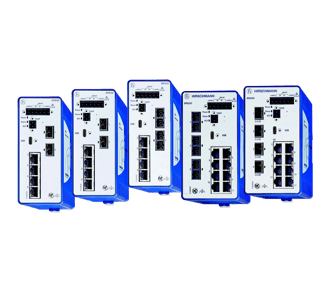
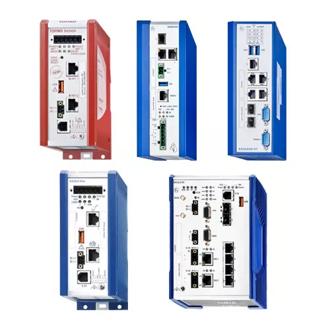
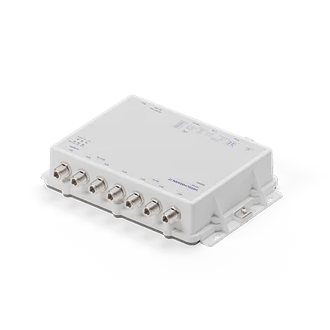
Hirschmann is constantly bringing new innovative products to the market, and Industrial HiVision will always be updated to manage these devices. This version includes integration of our latest products, including the Rail Switch Power (RSP), Embedded Ethernet Switch (EES), the EAGLE20-0400, the EAGLE30-0402, the BAT low cost client (BAT-C), as well as an extensive range of Schneider Electric PLCs.


New Features in Version 4.3

Event Log on Mobile Devices
Network management is a key component of network availability. Therefore having access to the information provided by a network management system is critical. Industrial HiVision 4.3 enables you to have this information at your fingertips. The event log is available as a standard HTML page, optimised for viewing on smartphones and tablets. Events can be filtered and acknowledged, allowing you to see exactly the information you require. Access to the event log is password protected. Now you can stay in control wherever you are.

Extensive Additional MultiConfig™ Functionality
MultiConfig™ allows you to configure multiple devices simultaneously. During network installation this saves time and reduces errors. During live operation it facilitates regular tasks such as changing device passwords. The number of configurable parameters has now been greatly increased, resulting in greater cost savings when configuring and maintaining your network.

Visualisation of Link Medium
Industrial HiVision enables you to create maps which accurately reflect the real topology of your network.Background images, such as floor plans, enhance the effect. Now the maps present a visual indication of the cable media type. The network operator can see at a glance whether a connection is copper, fibre, or wireless. As an added benefit, the printable maps facilitate more detailed network documentation.

Configuration Status Display
Devices whose running configuration is different to their stored configuration pose a hidden but real risk to network availablility. A reboot of the device will cause the wrong configuration to be loaded, resulting in network downtime. Industrial HiVision now provides a visual indication when the stored and running configuration of Hirschmann switches is not the same.

WLAN Bridge Link Status
WLAN bridge links are a cost effective and reliable way to provide point to point network connections. For optimal operation, the antennas of the Access Points must be accurately aligned. Over time, environmental conditions such as strong winds can cause the antennas to become misaligned. In Industrial HiVision, the link status of bridge connections between Hirschmann BAT devices is visualised using Signal to Noise Ratio. As a result, the network operator is notified when the link signals start to deteriorate, and can react before a link fails entirely.

Support for GarrettCom Products
Industrial HiVision v4.3 supports devices from the following GarrettCom product lines: 6K, 10KT, DX, 10ETS, and 12KX. Customers can now benefit from the synergy between GarrettCom's comprehensive product range and Industrial HiVision's extensive network management functionality.


New Features in Version 4.2

Long-term Reporting
Collecting information over time, and displaying that information in a user-friendly fashion, is an essential part of network supervision. Trending your network's performance is also an invaluable tool for fault-finding and diagnostics. Using the new reporting tool, Industrial HiVision v04.2.00 allows you to store long-term data about any network or device parameters. Pre-defined templates enable the data to be presented in bar or line chart format, which can be viewed using the built-in PDF viewer. Alternatively the information can be stored in Microsoft Excel format, and can then be manipulated to produce graphs that exactly match your corporate identity. You can create graphs for a fixed period of time, cumulative graphs, or ongoing sequential graphs.

Line Thickness
Would you like to know the speed of your network links at a glance? It is now possible to automatically display the link speed in the topology map, with the speed of the links represented by different line thicknesses. The faster the link speed, the thicker the line.

Windows 64 Bit Operating System
For the first time, a Windows 64 bit operating system is supported. Industrial HiVision has been successfully tested with Microsoft Windows Server 2008 R2, which is now an officially supported operating system.

New Devices Supported
In addition to the BAT Controller, OCTOPUS Basic, and Embedded Ethernet Module (EEM), devices from the following manufacturers have been added to Industrial HiVision: ABB, Advantech, Epsom, INSYS, Meinberg.


New Features in Version 4.1

Duplex configuration check
One of the biggest causes of network downtime and application failures is duplex mismatch. This means that one end of a link is configured as half duplex, and the other end to full duplex. Duplex mismatch is usually caused by a misconfiguration of auto-negotiation. IHV4.1 can show duplex mismatches across every link in a network, thereby reducing the possibility of network failure, and contributing to the highest possible network availability.

Path Availability Calculator
The single most important factor for an industrial network is availability. Whatever happens, the network must be operational. Network availability is expressed as a percentage of planned up time. Typically this would be 99.999%, also known as 5 nines, which translates as approximately five minutes unplanned downtime per year. Calculating the availability of an entire network is impossibly complicated. The Path Availability calculator calculates the availability of a communication path between two nodes, taking into consideration any redundant paths.

User Defined Menus
Industrial HiVision is more than just a network supervision tool. It is the control centre for your entire network. User defined menus allow administrators to define additional menu items which appear when an operator clicks on a device. This allows relevant third-party applications to be launched directly from within Industrial HiVision. Of course, the menu items can be password protected, to ensure the highest level of security

Consecutive Reboot
Even with the most stable network, it is sometimes necessary to reboot the infrastructure. The new consecutive reboot function allows you to automatically reboot your network, one device at a time. This allows you to get the job done with the minimum of disruption.


New Features in Version 4.0

Integration of third-party devices
Industrial HiVision v4.0 makes it simple for network administrators to integrate any manageable third-party products, no matter whether these are network infrastructure products or end devices. All managed products offer a standard feature set which can be supervised, for example the status of a connection to a device. In addition, options such as device-specific functions, status propagation and long term history can be made available using the standard intuitive interface. You decide the level of supervision detail to suit your own requirements.

Enhanced auto-topology discovery
For the first time the software is able to detect unmanaged switches and hubs and display their position within your network diagram. The software is also able to determine the network topology of devices which are located behind a router. This results in an unprecedented level of topology detail.

MultiConfig™
Not only will MultiConfig™ allow you to configure the same parameters across multiple devices simultaneously, but it will also show you where there is an inconsistency between parameter configurations. It even works across different types of devices, where those devices have parameters in common.


.